Installation
Agent Harbor runs on macOS and Linux.
Quick Install (Recommended)
The easiest way to install Agent Harbor is using our install script, which handles Nix installation and Agent Harbor setup automatically:
curl -fsSL https://install.agent-harbor.com | bashOr with a GitHub token for private repository access:
curl -fsSL https://install.agent-harbor.com | GITHUB_TOKEN=xxx bashThis script will:
- Install Nix package manager (if not already installed)
- Configure Cachix binary cache for fast downloads
- Install the Agent Harbor CLI (
ah)
Install via Nix
Prerequisites
- Nix with flake support enabled
Install Nix
If you don’t have Nix installed:
curl -L https://nixos.org/nix/install | shAfter installation, enable flake support by adding to ~/.config/nix/nix.conf:
experimental-features = nix-command flakesInstall Agent Harbor
nix profile install github:blocksense-network/agent-harborLinux Packages
Native packages are available for Debian/Ubuntu (APT) and Fedora/RHEL (YUM).
Debian / Ubuntu (APT)
# Import the GPG signing key
curl -fsSL https://apt.agent-harbor.com/gpg-key.asc | sudo gpg --dearmor -o /etc/apt/keyrings/agent-harbor.gpg

# Add the repository
echo "deb [signed-by=/etc/apt/keyrings/agent-harbor.gpg] https://apt.agent-harbor.com stable main" | \
  sudo tee /etc/apt/sources.list.d/agent-harbor.list

# Install
sudo apt update && sudo apt install agent-harbor
Fedora / RHEL (YUM/DNF)
# Import the GPG signing key
sudo rpm --import https://yum.agent-harbor.com/gpg-key.asc

# Add the repository
sudo curl -fsSL https://yum.agent-harbor.com/agent-harbor.repo -o /etc/yum.repos.d/agent-harbor.repo

# Install
sudo dnf install agent-harbor
GPG Signing Key
All Linux packages are signed with our GPG key. You can verify the key fingerprint:
| Property | Value |
|---|---|
| Fingerprint | 49A0 5F0A 96A8 38FA 15CA 2783 1E12 51FF 0C8C D19D |
| Key ID | 1E1251FF0C8CD19D |
security@agent-harbor.com | |
| Type | RSA 4096-bit |
To verify the key after importing:
gpg --show-keys /etc/apt/keyrings/agent-harbor.gpg
# Or for YUM:
rpm -qa gpg-pubkey --qf '%{NAME}-%{VERSION}-%{RELEASE}\t%{SUMMARY}\n' | grep -i harbor
Building from Source
Prerequisites
- Nix with flake support (provides all build dependencies)
- Git
Clone and Build
git clone https://github.com/blocksense-network/agent-harbor.git
cd agent-harbor
direnv allow  # or: nix develop
cargo build --bin ah
The binary will be at ./target/debug/ah.
For a release build:
cargo build --release --bin ahThe release binary will be at ./target/release/ah.
Verify Installation
ah --versionCheck System Health
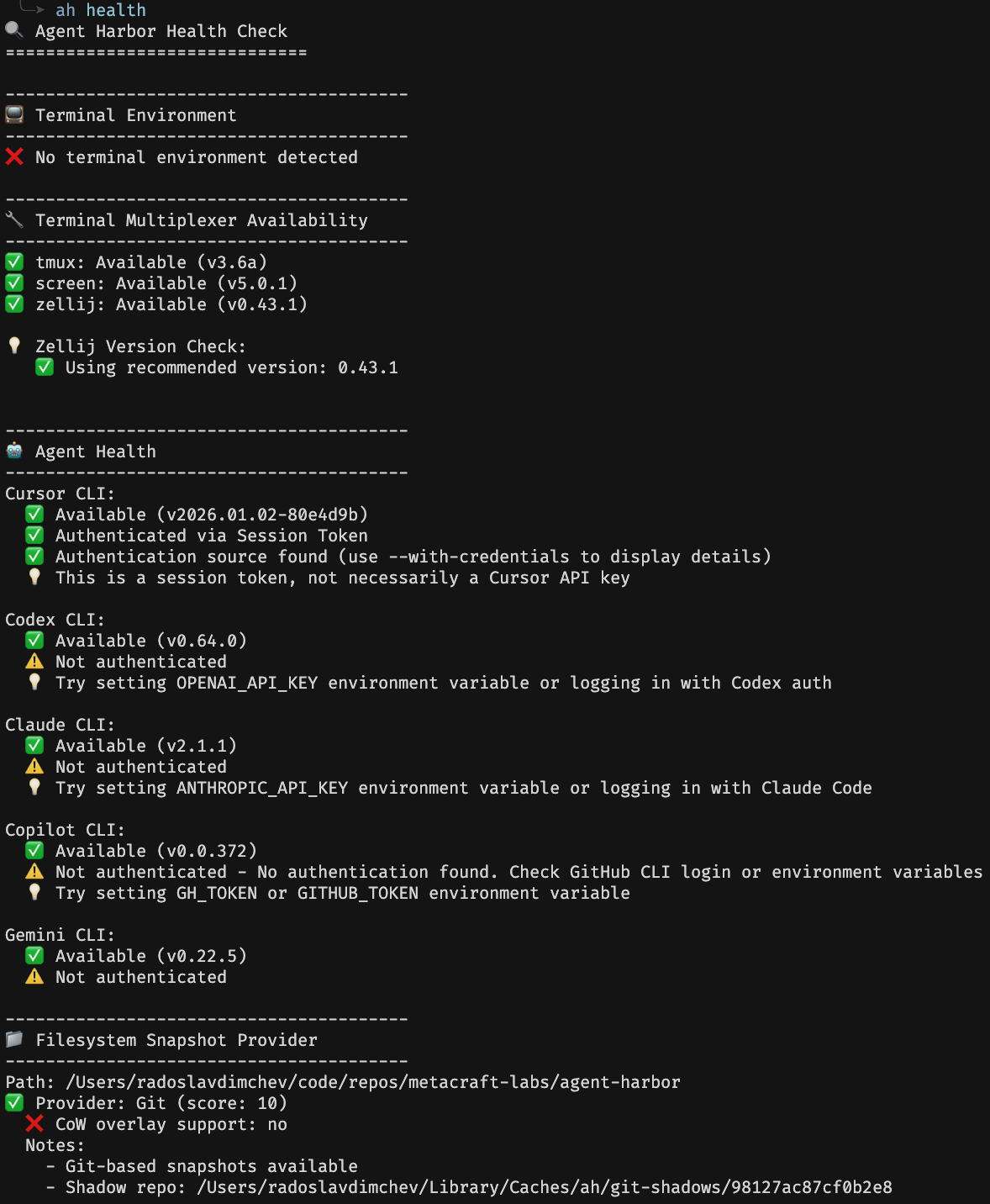
Run the health check to verify your setup:
ah healthThis checks:
- Agent availability and credentials
- Filesystem snapshot provider support
- Terminal multiplexer detection
Agent Credentials
Agent Harbor uses each agent’s native credential system. Before using an agent, authenticate with it directly:
Claude Code
claude
# Follow the authentication prompts
OpenAI Codex
codex authVerify Credentials
ah healthThe health check will show which agents have valid credentials configured.